
Show the client their graphics before you print them.
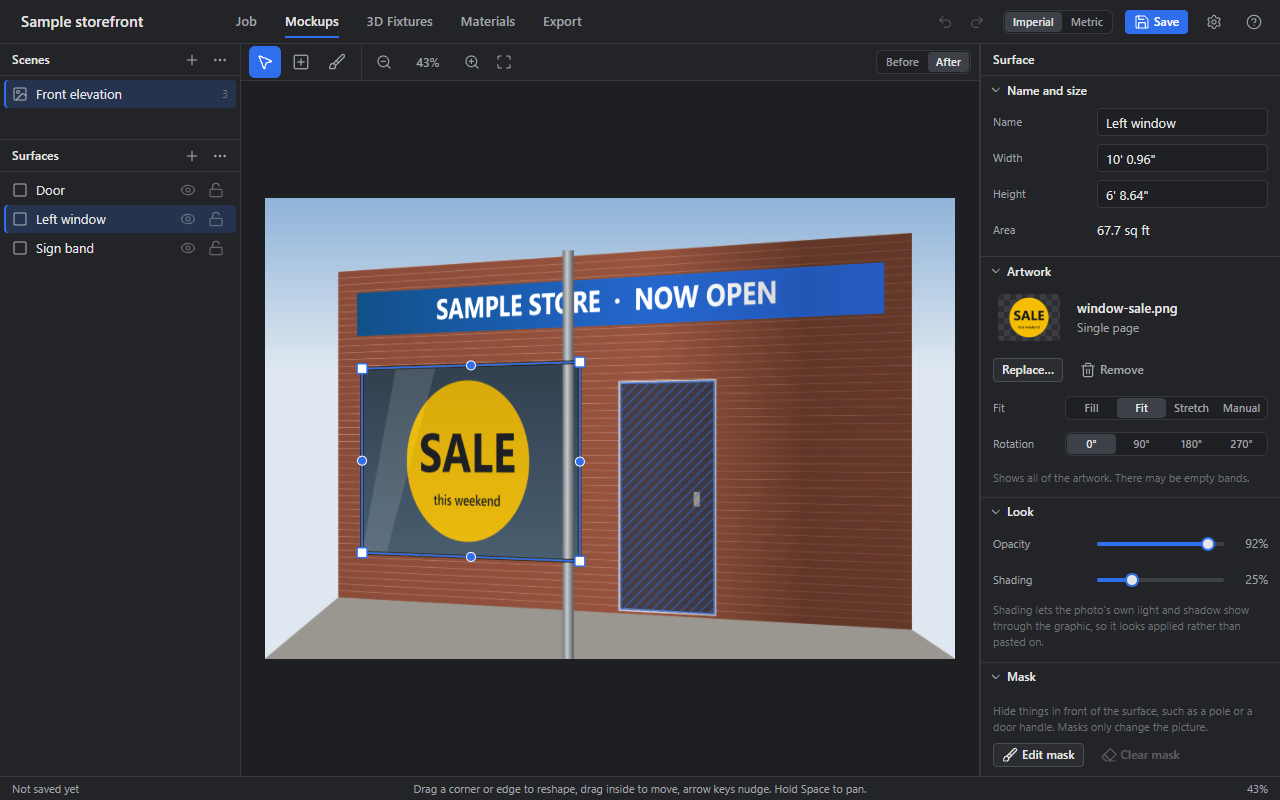
Moxel is a desktop app for large-format print and install teams. Put artwork on a photo of the real site or on a 3D fixture, check the print is sharp enough, and send the client a proof.
For Windows and Mac. Works offline: your files stay on your computer.
Download
One moment…
Moxel is a private tool. Sign in with the account you were given to download it.
No account? Ask the person who looks after Moxel for your team.
Not sure which Mac you have? Click the Apple menu, then About This Mac. If it says Chip: Apple, choose Apple chip. If it says Processor: Intel, choose Intel chip.
Other computers
Each download button works for a few minutes after the page loads. Press it later and it gets a fresh one.
Installing for the first time
Only install files you got from your own team. Moxel isn't signed with a paid certificate, so Windows and Mac warn you the first time.
Windows: run the installer. When a blue box says Windows protected your PC, click More info, then Run anyway.
Mac: open the .dmg file and drag Moxel onto Applications. Open Moxel once
and click Done when macOS says it can't check the app. Then open System Settings,
Privacy & Security, scroll to Security and click Open Anyway next to Moxel. You
only do this once.
If a Mac says Moxel is damaged, it isn't. Open Terminal, run
xattr -cr "/Applications/Moxel.app", and open Moxel again.
What it does
-
Photo mockups
Drag four corners onto a window, wall or vehicle in a photo, and the artwork follows the angle, the light and the shadows.
-
3D fixtures
Wrap artwork on boxes, columns, panels and your own 3D models, at their real sizes.
-
Materials and price
Panels, roll usage, laminate, waste, ink and labour worked out from the real sizes in the job.
-
Print check
Type the size the client wants, in inches, and see the DPI it prints at, file by file or the whole job at once.
-
Proofs and print files
Client proofs, production sheets, install briefs and print-ready PDFs, plus cut files and pictures.
-
Opens what clients send
Photos, PDF and Illustrator, EPS, Photoshop, TIFF, camera RAW, CorelDRAW, DWG and DXF, and 3D models.
What you need
- Windows 10 or 11, 64-bit.
- Mac with an Apple chip or an Intel chip, on a recent version of macOS.
- About 400 MB of disk space, and more for your jobs.